How to Choose a Shopify Theme in 2026: The Complete Buyer's Guide
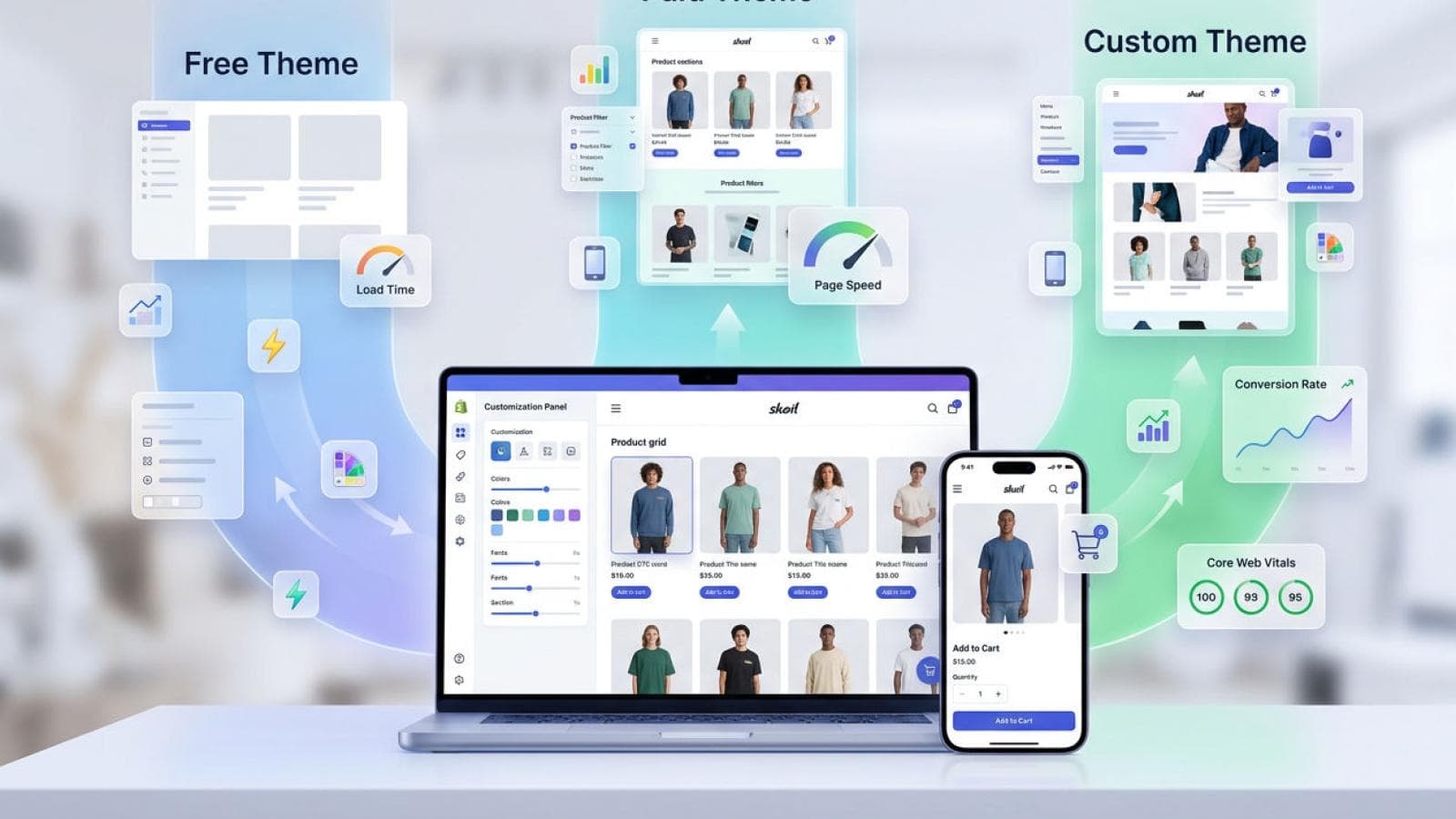
Choosing the wrong Shopify theme costs DTC brands real money. According to Google's Core Web Vitals report, a one-second delay in mobile load time reduces conversion rates by up to 20%. Your theme controls page speed, mobile layout, and the buyer's first impression — making it one of the highest-leverage decisions you'll make when building or re-platforming your store. This guide gives you a clear, expert framework to choose a Shopify theme in 2026 with confidence.
Choosing the wrong Shopify theme costs DTC brands real money. According to Google's Core Web Vitals report, a one-second delay in mobile load time reduces conversion rates by up to 20%. Your theme controls page speed, mobile layout, and the buyer's first impression — making it one of the highest-leverage decisions you'll make when building or re-platforming your store. This guide gives you a clear, expert framework to choose a Shopify theme in 2026 with confidence.
Why Choosing the Wrong Shopify Theme Is Costly
A poorly matched Shopify theme silently drains revenue every day. Baymard Institute's 2024 e-commerce UX report found that 68.7% of shopping carts are abandoned — and theme-level friction (slow load, cluttered mobile layouts, weak CTAs) is a leading cause. The wrong theme creates three compounding problems:
- Performance debt — bloated themes inflate Largest Contentful Paint (LCP), triggering Google ranking penalties and higher bounce rates.
- Brand mismatch — a generic theme signals low trust, particularly in premium DTC categories like beauty, jewellery, and fashion.
- Migration cost — switching themes after launch means redoing all customisations, retesting integrations, and risking SEO disruption.
Getting the theme decision right at the start — or when you outgrow your current theme — is always cheaper than patching the wrong choice.
Not sure whether your current Shopify theme is limiting your growth? Our team audits theme performance and conversion architecture for free.
Explore Shopify theme customisation servicesThe Three Theme Paths: Free, Paid, and Custom
Every Shopify merchant chooses between three theme paths, each with a different cost, ceiling, and time-to-launch. Shopify's Theme Store listed over 150 themes in early 2026, split between 12 free themes and 130+ paid themes. A fourth option — building from scratch — sits outside the store entirely. Here is how the three paths compare:
| Attribute | Free Themes (e.g. Dawn) | Paid Themes ($180–$380) | Custom Themes ($3K–$20K+) |
|---|---|---|---|
| Upfront cost | $0 | $180–$380 one-time | $3,000–$20,000+ |
| Time to launch | 1–3 days | 1–3 weeks | 6–16 weeks |
| Brand differentiation | Low — thousands of stores use same theme | Medium — configurable but recognisable | High — pixel-perfect, unique |
| Built-in CRO features | Basic | Strong (sticky cart, upsells, badges) | Fully bespoke to your funnel |
| Performance (PageSpeed) | 90+ out of the box | 75–90 (varies by features enabled) | 90+ when built by specialists |
| Customisation ceiling | Limited to theme editor settings | Broad — sections + Liquid edits | Unlimited |
| Ongoing update support | Shopify-maintained | Theme developer-maintained | Agency-maintained |
| Best for | MVP, proof-of-concept | Growing brands ($10K–$300K/yr) | Scaling brands ($300K+/yr) |
Verdict: Free themes suit stores in the first 90 days. Paid themes are the sweet spot for most mid-market DTC brands. Custom themes are the right investment once revenue, catalogue complexity, or brand identity outgrows what any template can deliver.
How to Choose a Shopify Theme: 7 Decision Criteria
The right Shopify theme scores well across seven criteria — not just one or two. Shopify's 2025 Commerce Trends report identifies mobile conversion rate as the single biggest growth lever for DTC brands, and your theme is the primary driver of that metric. Evaluate every candidate theme against these seven criteria before you commit:
- Core Web Vitals performance — Test the theme's demo on GTmetrix or PageSpeed Insights. Target LCP under 2.5 seconds and CLS below 0.1. Themes that fail this on a clean demo will perform worse with your apps and images loaded.
- Mobile layout quality — Over 70% of Shopify store traffic comes from mobile (Shopify data, 2025). Check that the product page, collection grid, and cart are optimised for one-thumb navigation.
- Conversion features — Look for sticky add-to-cart bars, product image zoom, quick buy, countdown timers, trust badges, and built-in review display. These features in a paid theme save weeks of custom development.
- Catalogue fit — A theme with a strong collection page and filtering system suits large catalogues (100+ SKUs). Minimalist themes with editorial layouts suit small catalogues (under 30 SKUs) focused on storytelling.
- App compatibility — Verify the theme works cleanly with your essential apps: Klaviyo, Recharge, Yotpo, Gorgias, or whichever stack you run. Check the theme developer's documentation and community forums for known conflicts.
- Customisation headroom — Count the number of configurable sections and blocks in the theme editor. A theme with 15+ section types gives your team room to evolve layouts without a developer every time.
- Support and update history — Check the theme's Shopify Theme Store listing for its update log. A theme last updated more than 12 months ago carries risk when Shopify releases OS 2.0+ features or checkout upgrades.
Step-by-Step: How to Select Your Shopify Theme
Choosing a Shopify theme takes less than a week when you follow a structured process. Most merchants make the mistake of browsing the theme store visually and picking based on aesthetics alone — then discovering performance or feature gaps after purchase. Follow these six steps instead:
- Define your non-negotiables — List 3–5 must-have features (e.g. subscription support, mega-menu, video hero). Any theme missing these is eliminated immediately, regardless of how good it looks.
- Filter by industry and catalogue size — The Shopify Theme Store lets you filter by industry (fashion, beauty, electronics) and catalogue size (small, medium, large). Start there to build a shortlist of 5–8 candidates.
- Test performance on every shortlisted theme — Run each theme's official demo URL through PageSpeed Insights (mobile tab). Eliminate any theme scoring below 70. Prioritise those scoring 85+.
- Preview with your own branding — Use Shopify's "Try theme" feature to install your top two candidates on a development store. Upload your logo, brand colours, and 10 product images. Assess how the theme handles your actual content — not the demo's polished photography.
- Audit conversion features against your funnel — Map each theme's built-in features to your customer journey. Does the product page surface reviews above the fold? Does the cart show an upsell? Is the checkout entry point prominent on mobile?
- Factor in total cost of ownership — Add the theme purchase price to estimated customisation costs. A $180 theme that needs $2,000 of developer work to match your design may be more expensive than a $350 theme that does it natively. Our Shopify theme customisation services team can give you a fixed-price estimate before you buy.
Which Theme Type Is Right for Your Brand?
The best Shopify theme for your brand depends on where you are in your revenue journey, not just your design preferences. Built In's 2024 e-commerce agency survey found that brands switching from free to paid themes reported an average 12% lift in conversion rate within 60 days of launch. Here is a straightforward decision framework:
- Revenue under $10K/month: Start with Dawn or Crave (free). Focus on product-market fit. Plan your theme upgrade at the $10K milestone.
- Revenue $10K–$300K/month: Invest in a paid theme — Impulse, Prestige, or Turbo are agency favourites for this range. Budget $180–$380 for the theme plus $500–$2,000 for setup customisation.
- Revenue over $300K/month: A custom Shopify theme development project delivers a measurable ROI at this scale. A 0.5% conversion rate lift on $4M annual revenue is $20,000 in additional annual revenue — far exceeding a $10,000 theme investment.
- Strong visual brand or unique UX requirements: If your brand sits in luxury, premium beauty, or high-end fashion, no off-the-shelf theme will deliver the brand fidelity your customers expect. Custom is the only path.
Not sure which path fits your current stage? The team at Prateeksha Web Design has built and customised over 50 Shopify stores for DTC brands across fashion, beauty, and food categories. We can advise you on the right theme choice before you commit a dollar.
Ready to choose the right Shopify theme and get it built to your brand standards? Talk to a Shopify specialist at Prateeksha Web Design today.
Explore custom Shopify theme developmentFrequently Asked Questions
How do I choose the right Shopify theme for my store?
Choosing the right Shopify theme depends on your industry, catalogue size, performance requirements, and budget. Evaluate themes against seven criteria: load speed, mobile layout quality, conversion features, customisation flexibility, app compatibility, ongoing support, and total cost of ownership. Test your top two or three candidates on GTmetrix before committing. Brands with large catalogues or strong visual identities consistently outperform competitors when they invest in a paid or custom theme over a free one.
Are free Shopify themes good enough in 2026?
Free Shopify themes — including the redesigned Dawn — are good enough for new stores testing product-market fit or operating on a tight launch budget. Shopify's own data shows Dawn scores above 90 on Google PageSpeed Insights out of the box. However, free themes offer limited section variety, minimal conversion-rate features, and no brand differentiation. Most DTC brands generating over $10,000 per month outgrow free themes within six to twelve months and migrate to paid or custom themes to support their growth.
How much does a Shopify theme cost in 2026?
Shopify theme costs in 2026 range from $0 for official free themes, to $180–$380 one-time for premium themes on the Shopify Theme Store, to $3,000–$20,000+ for a fully custom Shopify theme built from scratch. The right investment depends on your annual revenue and conversion goals. A $350 premium theme that lifts conversion rate by 0.5% on a $500,000 revenue store pays for itself in days. Custom themes make commercial sense once annual revenue exceeds $300,000 or your brand requires unique functionality not available in off-the-shelf options.
What is the best Shopify theme for a high-converting store?
The best Shopify theme for conversion is one that loads in under two seconds, places the add-to-cart button above the fold on mobile, and surfaces trust signals — reviews, guarantees, and payment icons — within the first viewport. Paid themes such as Impulse, Prestige, and Turbo are consistently cited by Shopify agencies for their built-in CRO features. For brands requiring unique checkout flows, custom upsell logic, or a distinctive visual identity, a purpose-built custom Shopify theme outperforms any off-the-shelf option.
Should I hire a Shopify agency to customise my theme?
You should hire a Shopify agency to customise your theme if you need changes beyond what the theme editor allows — such as custom Liquid sections, third-party app integrations, or a design that exactly matches your brand guidelines. DIY customisation risks breaking theme update compatibility and introducing performance regressions. A specialist agency provides structured customisation, performance testing, and ongoing support. Prateeksha Web Design offers both Shopify theme customisation services and full custom Shopify theme development for brands at every growth stage.